 YORIMICHI PLAYLIST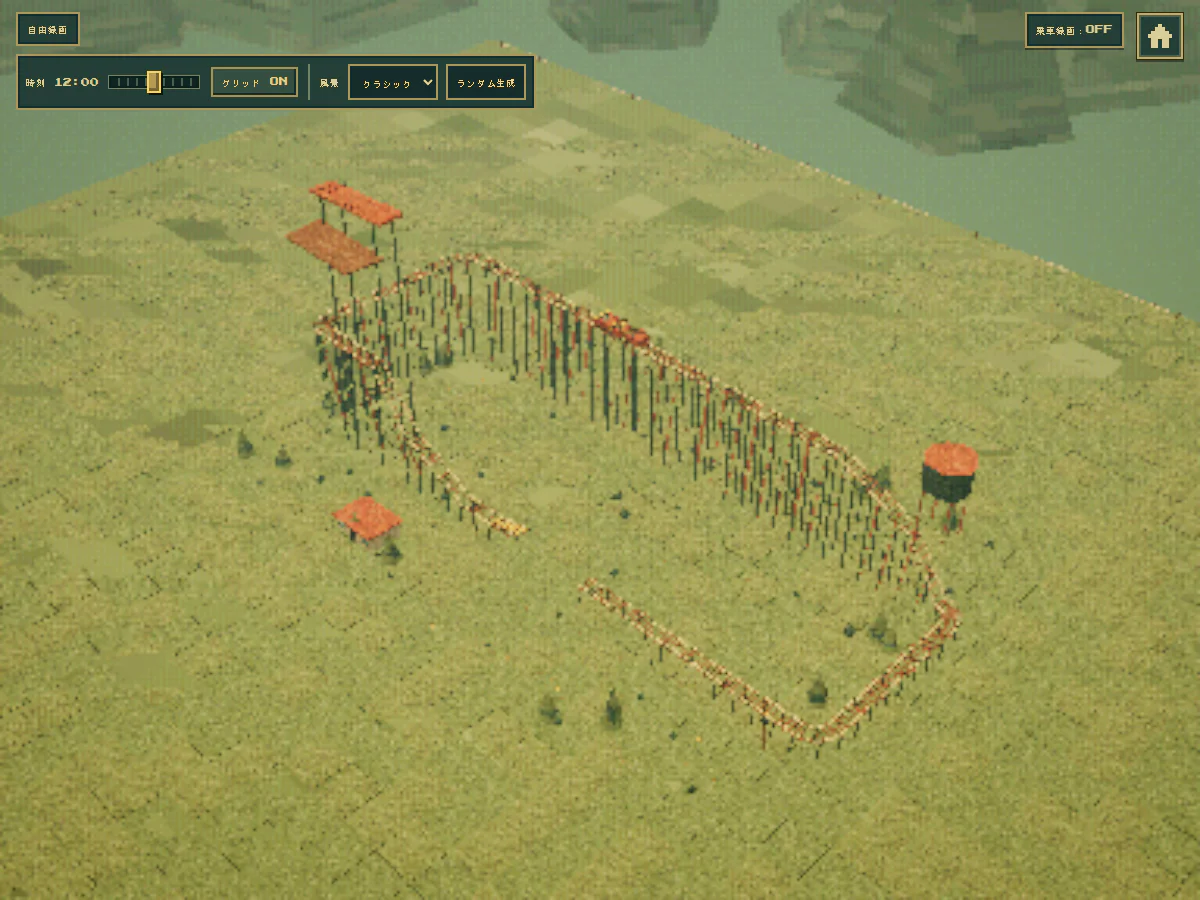
HOW TO PLAY
Controls and goals
- How to operate
- Select parts and height from the Japanese construction panel. On the keyboard, use the arrow keys to move cells, Shift + arrow keys to change the height, Enter to construct, and Delete to delete the selection. Switch to driving using the ride button at the bottom of the construction panel.
- Goal
- Create your own driving route, drive your vehicle, and adjust the course. It is not a format where you aim to clear a set stage. If it's your first time, you can use "Create random course" to see the track configuration and then start editing.
ABOUT THE GAME
Check running by combining tracks
STUNTCOASTER is a sandbox where you can assemble and run roller coaster tracks. In addition to creating a blank course, you can also edit randomly generated lap courses. Design driving routes using not only straight lines but also hills, jumps, accelerations, brakes, and loops.
GAMEPLAY
From the editing screen to driving the vehicle
When you close the construction panel, you can see the overall shape of the track and the vehicles running on it. The time and scenery settings remain at the top of the screen, allowing you to view the course in different ways.
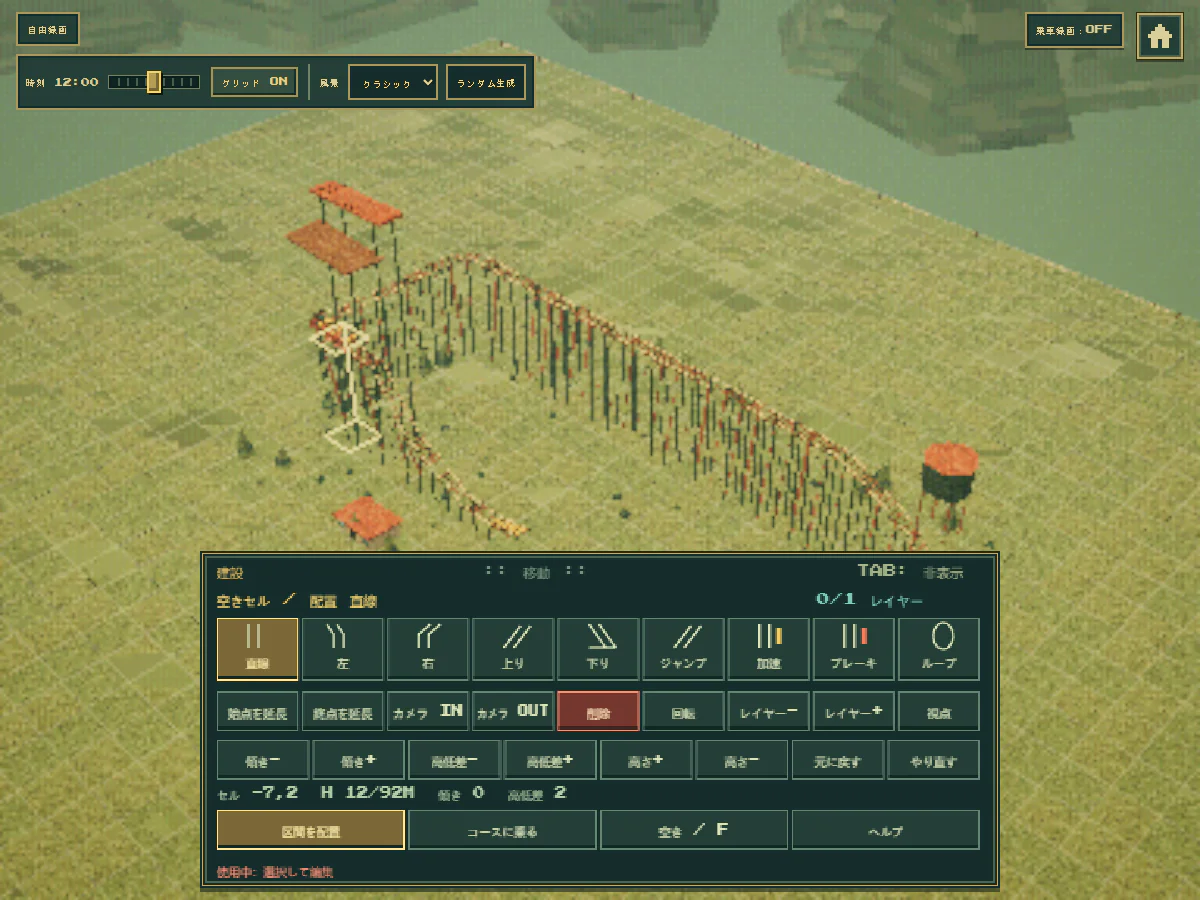
Actual play shooting: Detour Playlist Editorial Department/Production: LCB Game Studio
Assemble tracks on the grid
Place the tracks in 24 x 18 sections and adjust the height. You can combine slopes, loops, etc. with the basic construction of connecting straight lines and curves.
Include speed and elevation in your design
Deals with speed changes due to gravity and jumping over broken areas of the track. Accelerators and brakes are also available as parts used to adjust driving.
Start editing from the generated course
In addition to setting everything from the beginning, you can also start by "Create a random course". The official guide also supports named save, automatic save, and undo/redo.
PLAY NOTES
Play notes
- Language
- Supports Japanese display. You can select the start menu, track type, time, scenery, etc. in Japanese, and no English reading comprehension is required.
- Required time
- A sandbox where you can freely create. There is no fixed clearing time indicated on the official page.
- Fees/Environment
- Free official browser version. This article will guide you through mouse and keyboard operations on a PC browser.
- Save
- The official guide supports named course saving and automatic saving. If you want to keep saved data, do not delete the site data in your browser.
Connect the tracks,
Create a running course.
The official work page and official web version were confirmed on September 23, 2026. The two published images were taken by the editorial department on the official web version. Sources: Author's official distribution page
STREAMING INFO
Streaming and video uploads
The official work page I checked does not have explicit permission conditions for video posting, live streaming, or monetization. Please check the author's latest information before distribution.
“Unconfirmed” does not mean streaming is prohibited. We have not confirmed an official policy for the general public.
READER COMMENTS
Comments on STUNTCOASTER
Share your thoughts after playing, or tell other readers what you recommend about the game.
All language editions share these comments. Comments are shown in their original language.
Loading comments…