 YORIMICHI PLAYLIST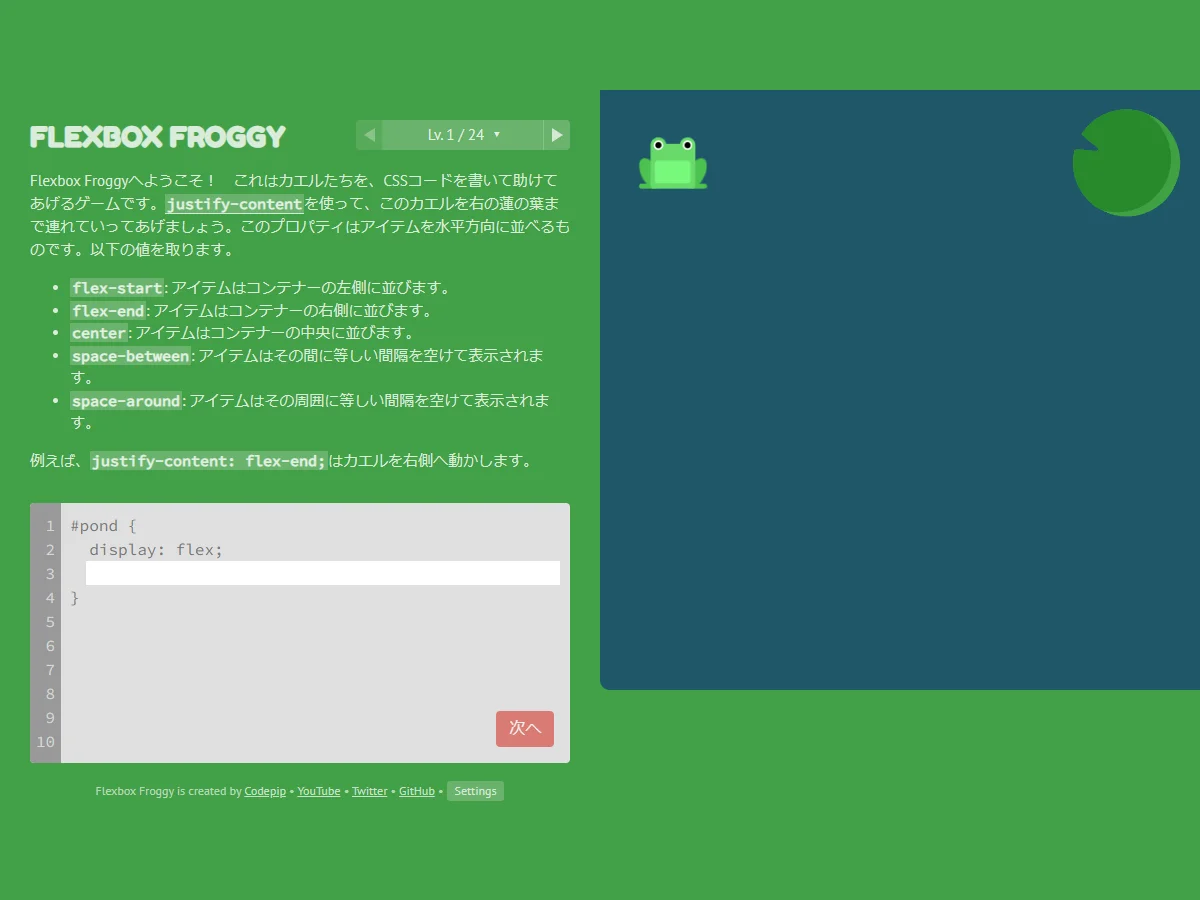
HOW TO PLAY
Controls and goals
- How to operate
- Enter the CSS property and value in the code entry field. Once the placement is correct, “Next” will be enabled.
- Goal
- Write CSS properties and values, place colored frogs on lotus leaves of the same color, and advance through all 24 levels.
ABOUT THE GAME
Write the code,
Check the placement visually.
"Flexbox Froggy" is a CSS flexbox learning game created by Thomas Park. Each level shows the location of the frog and lotus leaf in the pond. Enter the specified CSS property in the code field and place the frog on a leaf of the same color to proceed to the next level.
WRITE, MOVE, MATCH
Write justify-content,
Carry the frog to the right leaf.
Level 1 deals with justify-content, which determines horizontal alignment. The official Japanese explanation shows flex-start, flex-end, center, space-between, space-around, and when you enter flex-end, the frog moves to the right side of the pond.
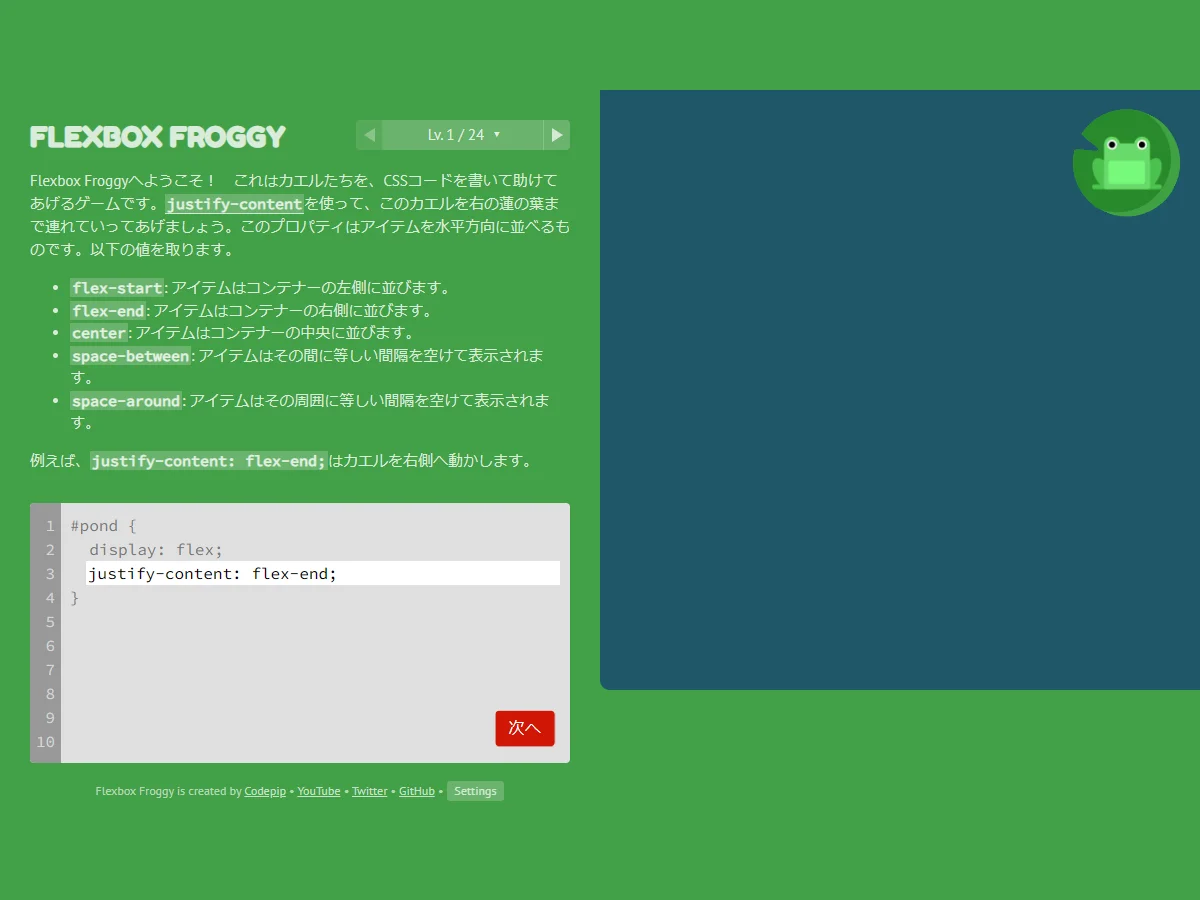
Actual play photography: Detour Playlist Editorial Department / Production: Thomas Park / Image: CC BY 3.0
CSS input is reflected directly to the pond placement
The content entered in the code field will be reflected in the arrangement of elements in the pond on the right. The author's production article explains that the goal of this work is to write CSS code to transport the frog to the lotus leaf.
24 levels of handling the main properties of flexbox
The official source contains 24 levels. Starting from justify-content, the properties will increase to align-items, flex-direction, order, align-self, flex-wrap, flex-flow, and align-content.
Japanese display and three difficulty levels to choose from
The official web version supports Japanese display. In the settings, you can select Beginner with explanations, Intermediate without explanations, and Expert, which removes explanations and changes the level order. You can also switch the display to take into account color vision diversity.
PLAY NOTES
Play notes
- Scale/Difficulty
- There are 24 levels in total, and you can choose Beginner with an explanation, Intermediate without an explanation, and Expert, which also changes the level order without an explanation. There is no fixed time estimate
- Language/Supported environment
- Supports multiple languages including Japanese and English. For browsers that support HTML5, CSS, and JavaScript, and an environment where you can use a keyboard for CSS input is suitable.
- Fees/Save
- The official web version is free and does not require an account. Saves the current level, entered answers, solved levels, and display settings to the browser's localStorage.
Write one line of CSS,
Carry the frog to the leaf.
The official web version, author's production article, and official repository were confirmed on July 25, 2026. The two images are in-game screens taken by the editorial department using the official standalone Japanese version. Sources: Flexbox Froggy official web version (Japanese), Article produced by Thomas Park, Flexbox Froggy official repository, MIT license for Flexbox Froggy code, CC BY 3.0 notation for Flexbox Froggy images, Creative Commons Attribution 3.0
STREAMING INFO
Streaming and video uploads
The official repository releases the code under the MIT license and the images under CC BY 3.0. When handling game images for distribution, video posting, or monetization, please display the title of the work, Thomas Park, official URL, and link to CC BY 3.0, and abide by the terms of each license. Please do not display third-party advertisements or linked materials at the bottom of the page, as they are not eligible. Dedicated delivery guidelines could not be confirmed.
READER COMMENTS
Comments on Flexbox Froggy
Share your thoughts after playing, or tell other readers what you recommend about the game.
All language editions share these comments. Comments are shown in their original language.
Loading comments…