 YORIMICHI PLAYLIST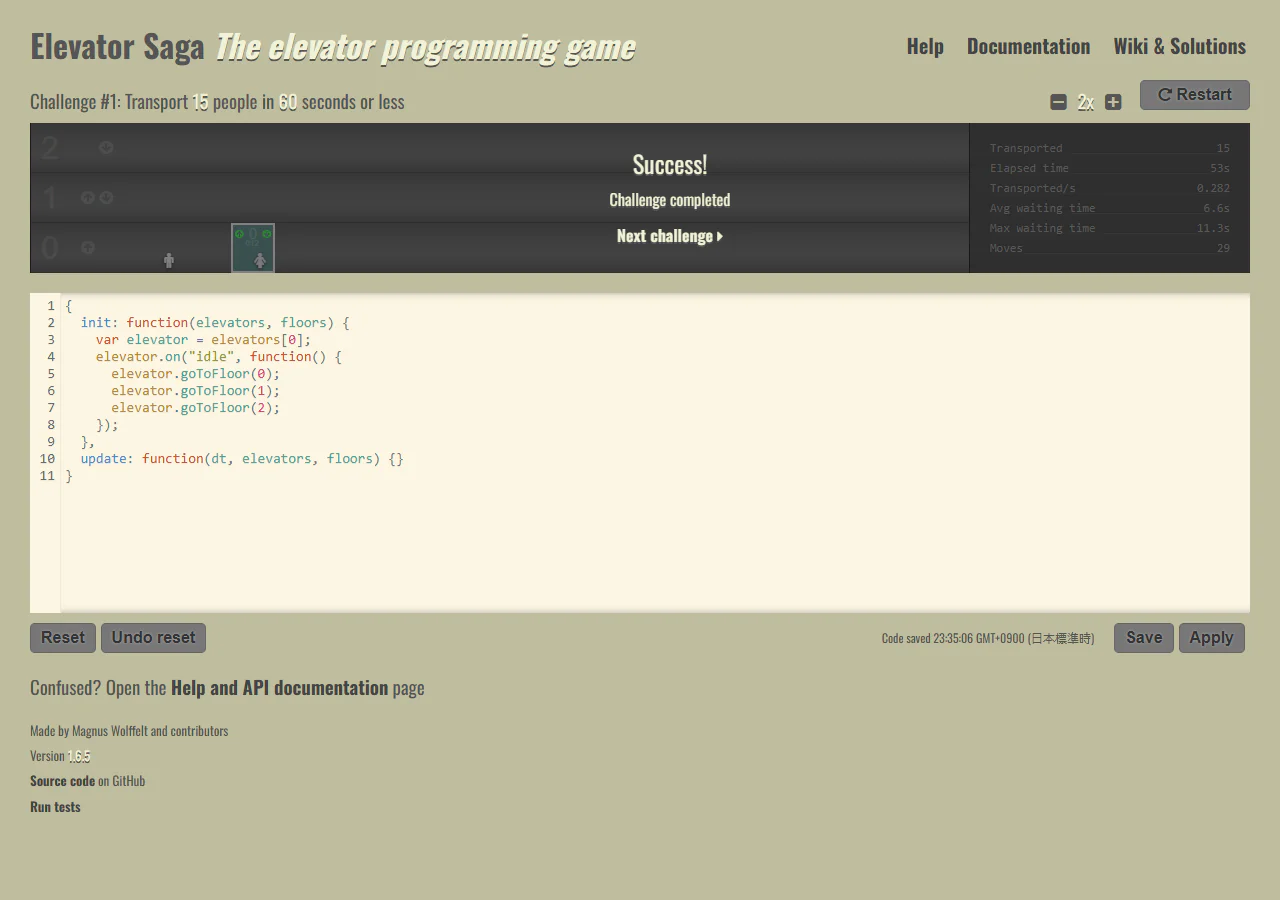
HOW TO PLAY
Controls and goals
- How to operate
- Edit the code entry field below using the keyboard and press "Apply" to execute. The operation can be stopped by pressing "Pause" and the speed can be changed by pressing +/-.
- Goal
- Create an elevator control program that efficiently transports passengers to meet the conditions of each challenge.
ABOUT THE GAME
Create an operating system using code
Write JavaScript in the input field at the bottom of the screen to operate the elevator in the building above. This is a game where you consider destinations and reaction conditions in order to transport passengers efficiently, and then make adjustments based on the results. The posted image includes an example of how to solve the first problem.
GAMEPLAY
View the operation screen and code side by side
The image contains an example solution for the first problem. Elevators and passengers are listed on the top row, transport numbers are on the right, and codes are on the bottom row. During execution, the position and number of people change, and when the conditions are met, a message indicating that the task has been completed will appear.
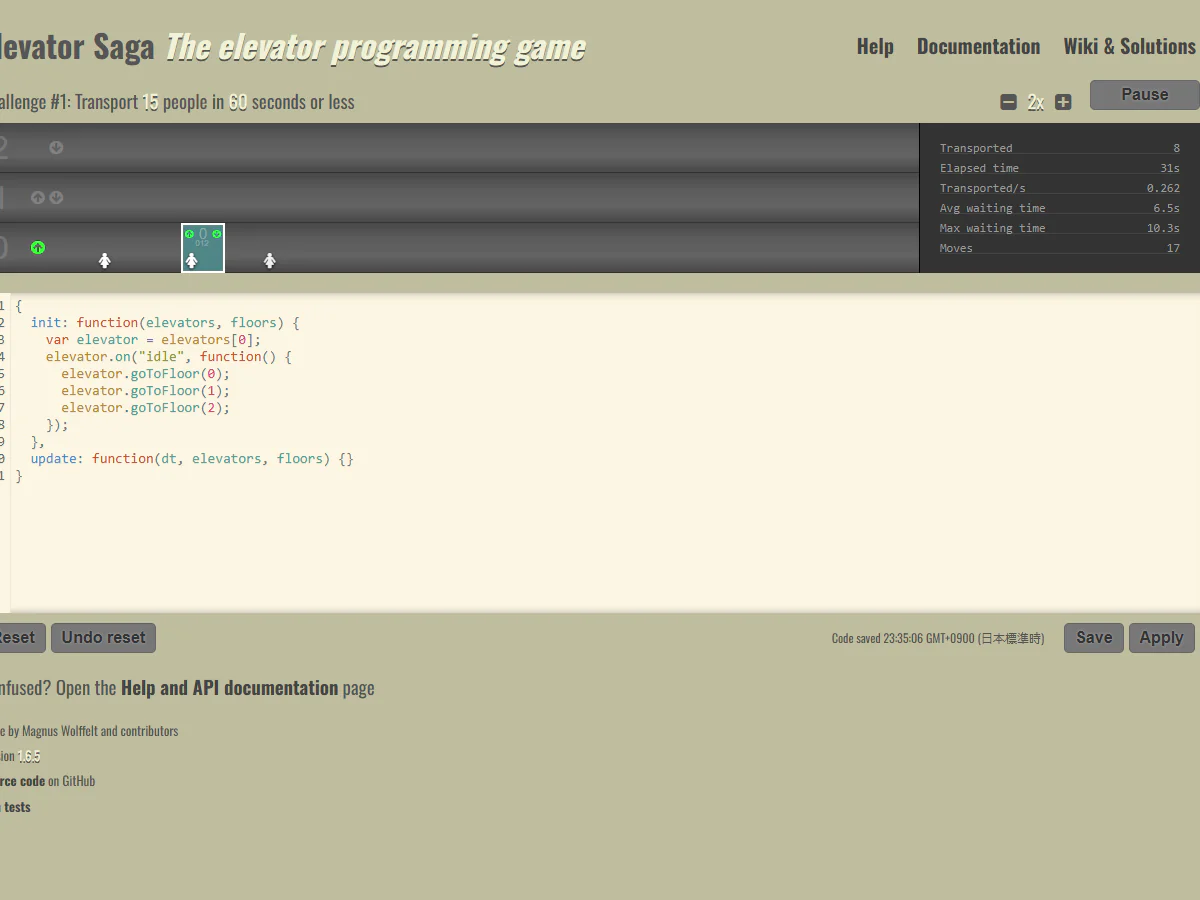
Actual play photography: Detour Playlist Editorial Department/Production: Magnus Wolffelt and contributors
Decide on actions according to events
Write the processing for events such as when a passenger presses the destination button or when the elevator is no longer scheduled. The main thing is to decide which floor to go to based on your own rules.
Review operations using numbers
In addition to the number of people transported, average waiting time, maximum waiting time, amount of movement, etc. are displayed. You can check not only whether it is working, but also where there is waste or waiting, and then rewrite it.
Reread the conditions for each assignment
The first task is to transport 15 people within 60 seconds. Once completed, you will move on to the next task. We will check the conditions that become more difficult as the route progresses and adjust the operation method.
PLAY NOTES
Play notes
- Early steps
- Check the input format and command examples with "Help", read the initial code, and run it with "Apply". First, let's see which floor they are moving to and whether there are any passengers left on each floor.
- Required knowledge and language
- Read and write JavaScript functions and event handling. The task and instructions are in English: "Transport 15 people in 60 seconds or less" means transporting 15 people within 60 seconds.
- Save and Redo
- The input code will be automatically saved in your browser. "Reset" is an operation that returns the code to its initial, simple implementation. It is not a save that automatically synchronizes with another device.
- Estimated time
- In addition to the time to execute the assignment, you need time to think about and rewrite the code. The required time for all assignments cannot be confirmed in the official guide.
The next floor to go to,
Decide with your code.
The official work page and official web version were confirmed on September 22, 2026. The two published images were taken by the editorial department on the official web version. Sources: Elevator Saga official game, Official Help/API explanation, Author official repository
STREAMING INFO
Streaming and video uploads
The official work page I checked does not have explicit permission conditions for video posting, live streaming, or monetization. Please check the author's latest information before distribution.
“Unconfirmed” does not mean streaming is prohibited. We have not confirmed an official policy for the general public.

READER COMMENTS
Comments on Elevator Saga
Share your thoughts after playing, or tell other readers what you recommend about the game.
All language editions share these comments. Comments are shown in their original language.
Loading comments…