 YORIMICHI PLAYLIST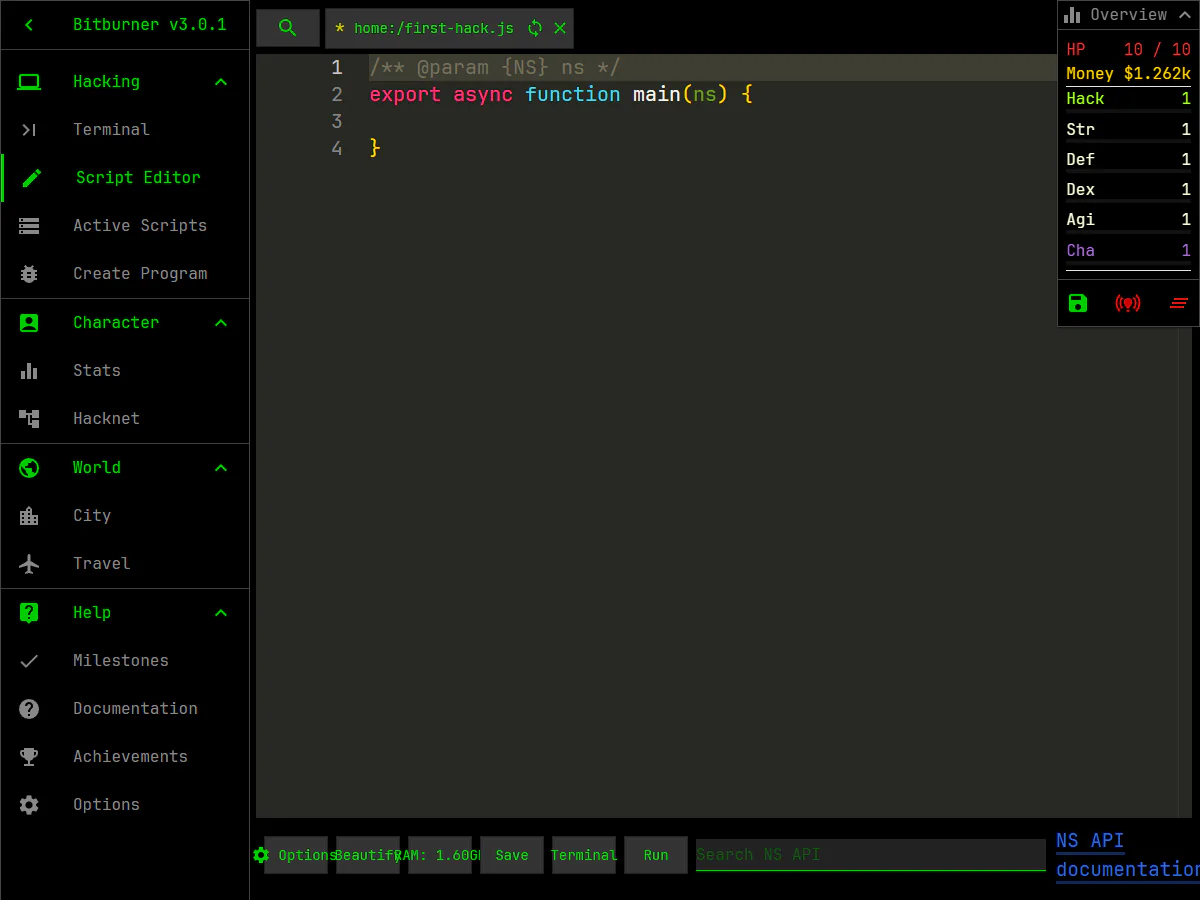
HOW TO PLAY
Controls and goals
- How to operate
- Click the left menu to switch screens, enter the English command in Terminal, and press Enter to execute it. Script Editor allows you to edit JavaScript, save and execute it
- Goal
- Investigate the network, increase the number of servers you can connect to and infiltrate, and automate operations with scripts while increasing your money and abilities.
ABOUT THE GAME
From a black terminal,
Step into the server network.
``Bitburner'' is a programming-based incremental game with hacking and cyberpunk themes. Terminalへコマンドを入力して周囲のサーバーを調べ、接続、解析、侵入を進めます。
OPEN THE SCRIPT EDITOR
Repetitive work,
Pass to JavaScript.
Executing the nano command in Terminal opens a JavaScript file in the Script Editor. At the bottom of the screen are the operations to save, return to Terminal, and execute, and on the right side you can check your money and ability values at the same time.
Actual play shooting: Detour Playlist Editorial Department/Production: Bitburner Official Project
Check the network with Terminal command
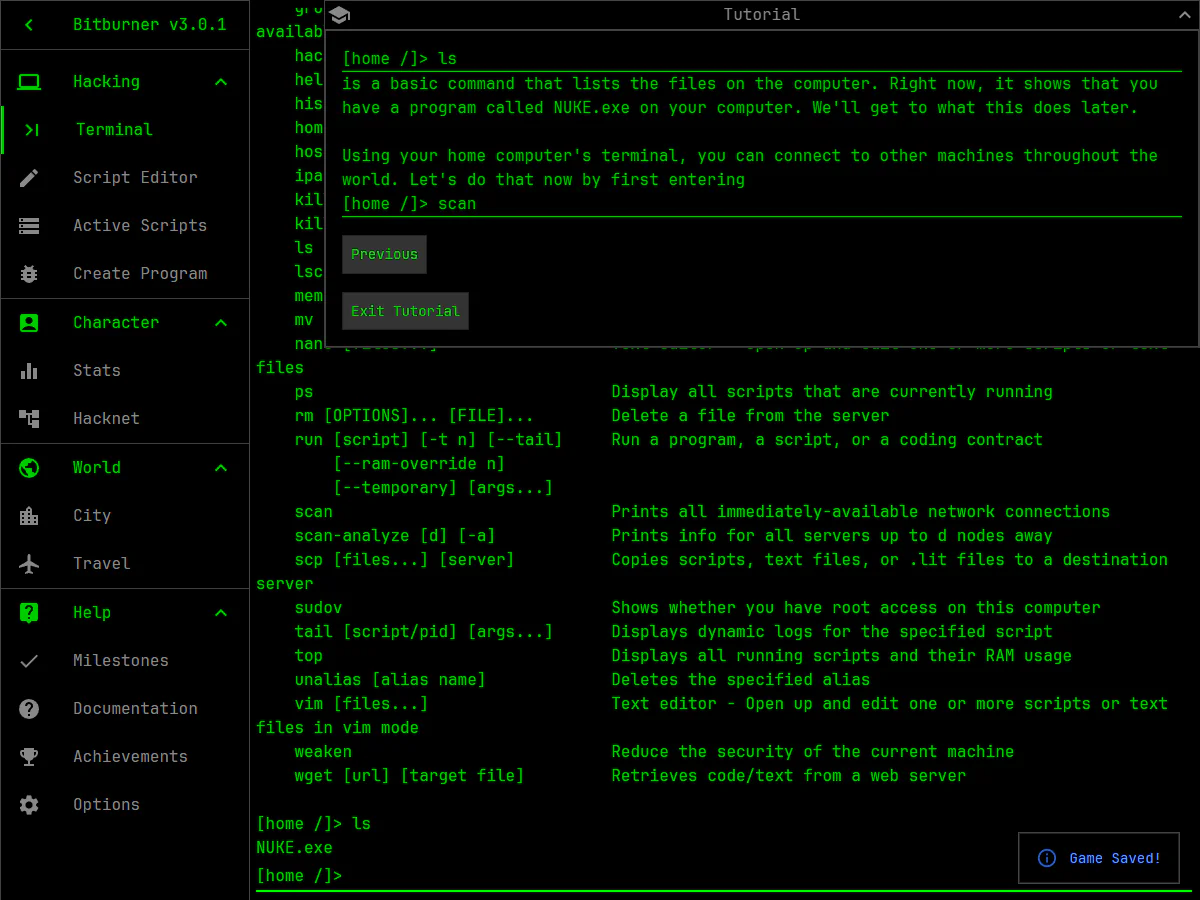
Check the available commands with help, list the connection destinations with scan, and check the required hacking ability, number of open ports, and RAM with scan-analyze. Read the information and decide which server to connect to next.
Automate operations with JavaScript
When you create a script with nano, a JavaScript main function is prepared in the dedicated editor. Write code that uses in-game APIs and run saved scripts from the Terminal to handle repetitive tasks.
Proceed by accumulating money and ability values
Ability values including Money and Hack are displayed on the screen, and skills and progress can be viewed in Stats. We store the results of terminal operations and automation and expand the next server and activity.
PLAY NOTES
Play notes
- Scale/progress
- It's not a short game, but an incremental game that progresses by accumulating the results of operations and automation. Terminal、Script Editor、Stats、Hacknet、Cityなどの画面があります
- Language
- Screens, tutorials, and Terminal command explanations are in English. Confirmation of English display is required to understand how to start, operation, purpose, and progress
- Fees/Support environment
- You can play the PC browser version of the official website for free and without installation. 公式リポジトリはSteam版も案内しています
- How to proceed in the beginning
- Check the stats by following the in-game tutorial and type help, ls, scan, scan-analyze in Terminal to understand the programs you have and connection candidates.
From the first scan,
Let's build an automation circuit.
We confirmed the Bitburner official web version and official source repository on September 2, 2026. The two published images were taken by the editorial department on the official web version. Sources: Bitburner official web version, Bitburner official source repository
STREAMING INFO
Streaming and video uploads
In the scope of checking Bitburner's official web version and official source repository, we were unable to confirm a dedicated policy that allows the public to perform game commentary, live streaming, video posting, and monetization. This does not mean a ban on distribution.
“Unconfirmed” does not mean streaming is prohibited. We have not confirmed an official policy for the general public.


READER COMMENTS
Comments on Bitburner
Share your thoughts after playing, or tell other readers what you recommend about the game.
All language editions share these comments. Comments are shown in their original language.
Loading comments…