 YORIMICHI PLAYLIST
GAME FEATURE · 344
Keyspace Keys made for pressing,
become platforms to cross.
In Keyspace, drag left, right and Space keys onto the screen to build platforms. Choose a direction and the character keeps moving, while the direction key you used becomes locked. Plan around each key’s role as both a control and a place to stand.
Gameplay screenshot: Yorimichi Playlist editorial team / Game: Jon Topielski・mafgar
HOW TO PLAY
Controls and goals
- Controls
- Drag keys from the lower bar with the mouse. Select a direction with WASD or arrows and jump with Space. The official page lists R to reset.
- Goal
- Use placed keys and platforms to reach each level’s red flag. Once a direction is selected, movement continues, so plan placement and the order of use.
ABOUT THE GAME
Once moving, the character keeps going
In the first level, selecting right made the character continue even after the key was released, eventually reaching the flag. The next level used Space to jump across gaps. The official page identifies the first three levels as tutorials.
GAMEPLAY
The same key is a control and a platform
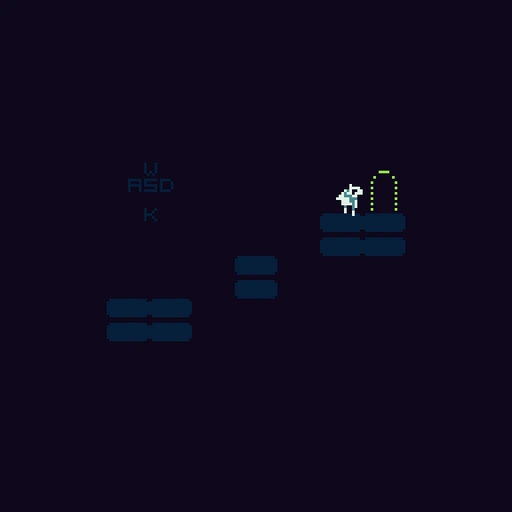
In level four, I placed left, Space and right keys between two ledges. Starting rightward movement put a lock icon on the right key, so that section had to be jumped. The character walked over the left key, jumped near Space to reach the flag’s ledge, and advanced to level five.
Gameplay screenshot: Yorimichi Playlist editorial team / Game: Jon Topielski・mafgar
Place keys in the scene
Drag keys from the bar at the bottom into the level to make platforms. In level four, the character could walk on a placed key.
Direction keys lock after use
Starting to move right darkened the right key and added a lock icon. In level three, walking onward without jumping led to a fall at that dark key.
Combine placement and jumping
Level four required more than lining up keys: I also used Space while moving. The planning stage connects to the timing of actions after movement starts.
PLAY NOTES
Play notes
- Language
- Level names and help are in English. Arrows and lock icons also convey information.
- Length and scope
- The official page lists an average session of a few minutes. The game displays 15 levels; the first three are identified as tutorials on the official page.
- Price and platform
- The official itch.io web version is free in a PC browser. Placement uses a mouse and movement uses a keyboard.
Consider each key’s role,
and build a path to the flag.
The official game page and web version were checked on October 22, 2026. Both images were captured by the editorial team in the official web version. Sources: Official game page and web version
STREAMING INFO
Streaming and video uploads
The official game page checked does not state explicit permission for video uploads, live streaming or monetization. Check the creator’s latest guidance before streaming.
“Unconfirmed” does not mean streaming is prohibited. We have not confirmed an official policy for the general public.
READER COMMENTS
Comments on Keyspace
Share a warm note, a favorite moment, or a gentle tip for the next player.
All language editions share these comments. Comments are shown in their original language.
Loading comments…